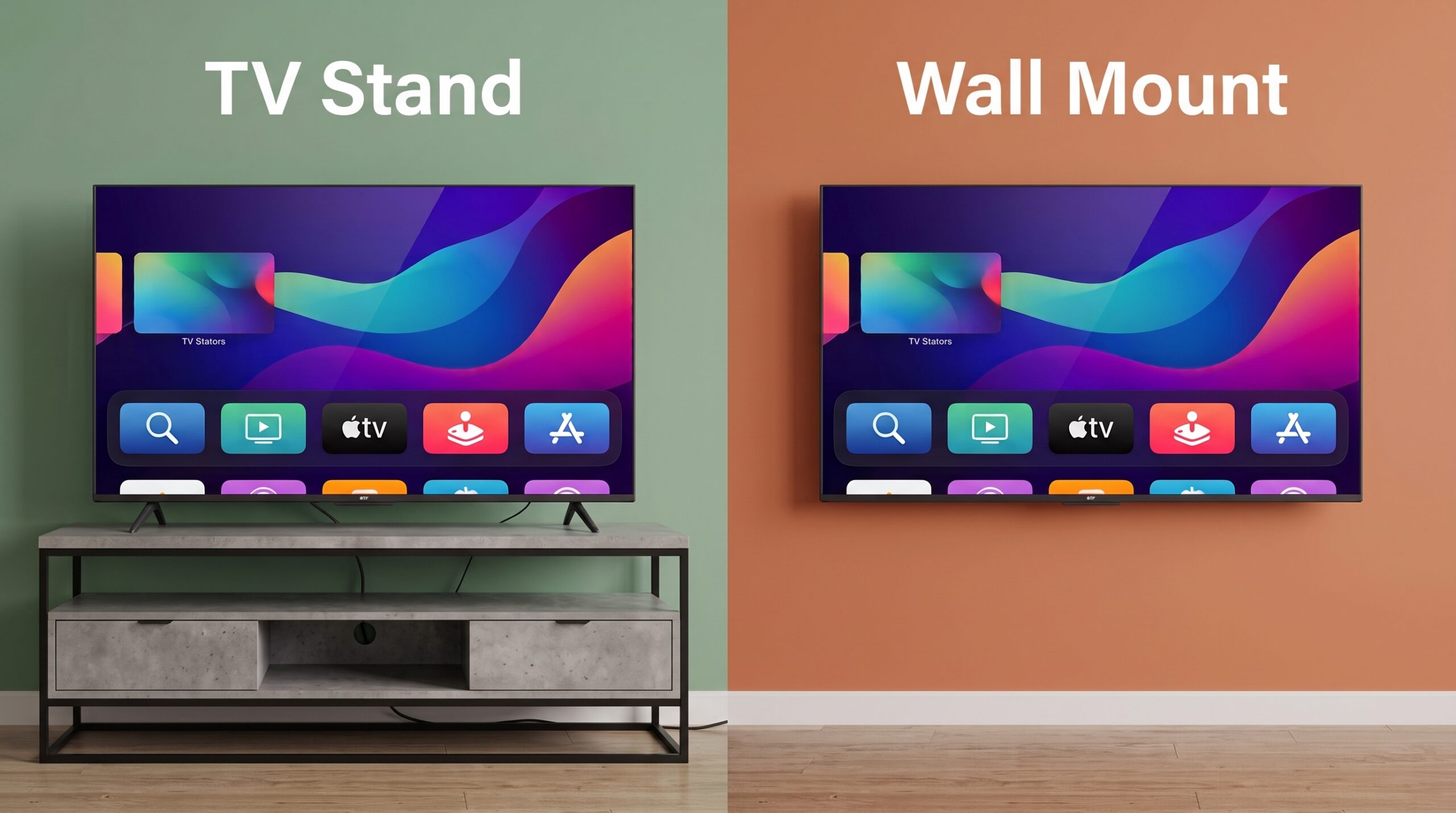
Choosing between a TV stand and a wall mount affects how your room looks, how safely your TV is supported, and how comfortable it is to watch. The most common question is also the most important: how heavy can a TV be for a stand or a mount?
This guide explains the weight rules, how to check your TV and mount compatibility, why safety margins matter, how stands and wall mounts compare, and how to avoid the tip-over and wall-damage mistakes that cause the most accidents.
Is There a Single Rule for TV Weight?
There is no single legal weight cutoff that decides whether a TV belongs on a stand or a wall. Instead, you follow a few practical rules, and the weight rating of the product you choose is the key number:
- Know your TV’s weight. Check the spec sheet, with or without the factory stand depending on how you plan to install it.
- Compare it to the rating of the stand or mount. Every TV stand and wall mount has a maximum weight rating. Your TV must be below it.
- Add a safety margin. Many installers recommend choosing a mount rated for at least 25% more than your TV’s weight, and some recommend 50% or more. Avoid choosing a mount where the TV is close to the rated maximum.
- Match the mounting pattern. A wall mount must fit your TV’s VESA hole pattern.
- Check the structure. A stand must be stable and anchored, and a wall mount must be fastened into studs or suitable masonry.
Always follow the manufacturer’s instructions for both your TV and your stand or mount. If you are unsure, hire a professional installer.
How Heavy Are TVs?
Weight depends on screen size, panel technology, and brand. These are rough ranges for modern flat-screen TVs, and your model may differ:
| Screen size | Approximate weight (without stand) | Common VESA pattern |
|---|---|---|
| 32 to 43 in | About 10 to 30 lb | 100 × 100 to 200 × 200 mm |
| 50 to 55 in | About 30 to 50 lb | 200 × 200 to 300 × 300 mm |
| 65 in | About 45 to 75 lb | 300 × 300 to 400 × 400 mm |
| 75 in | About 65 to 100 lb | 400 × 300 to 600 × 400 mm |
| 85 in | About 90 to 130 lb | 600 × 400 mm |
| 98 in and larger | About 120 to 170 lb or more | Often 600 × 400 mm or larger |
These are approximate figures for illustration. Weights and VESA patterns vary by brand, model, and panel type, so always check your TV’s specification sheet.
What Is VESA and Why Does It Matter?
VESA is the standard hole pattern on the back of most TVs for attaching a wall mount. It is written as two numbers in millimeters, such as 400 × 400 or 600 × 400, which are the horizontal and vertical distances between the holes. To check, measure the distance between the mounting holes on the back of your TV, or look it up in the manual.
- A mount must support your TV’s VESA pattern.
- A mount must also support your TV’s weight, and its screen size range is only a guide.
- Use the screws supplied with the mount or recommended by the TV maker, since the wrong screw length or thread can damage the TV.
Weight Rules for Wall Mounts
- Mount rating must exceed TV weight with a margin. Choose a rating at least 25% above your TV’s weight. A bigger margin is better for full-motion mounts, which put extra leverage on the wall.
- Use studs. A TV should not be hung from drywall alone. Typical wooden studs, with long lag bolts, can hold substantial weight, and a mount spanning two studs is standard for many TVs up to about 85 inches. Very large TVs may need three or more stud contact points.
- Check the wall type. Wood studs, metal studs, brick, and concrete each need different hardware. Do not guess.
- Full-motion mounts reduce the effective capacity. When the arm extends, the load on the wall is greater than the TV’s weight alone, so use a mount rated well above your TV and install it into solid framing.
- Consider the whole load. Soundbars and attached devices add weight.
Weight Rules for TV Stands
- The stand’s rated capacity must exceed your TV’s weight. Furniture labels often list a maximum TV weight and maximum TV size.
- Check the width and foot spacing. Many modern TVs have feet near the edges. Make sure the stand’s top is wide enough, or the TV may overhang or tip.
- Use a sturdy, low piece of furniture. Tall, narrow, or top-heavy furniture is less stable.
- Do not stack the TV on furniture not meant for it. Dressers and shelves are not designed for TVs and are a known tip-over hazard.
- Anchor the TV and furniture. Use anti-tip straps or wall anchors on both.
The Tip-Over Hazard: Why Anchoring Matters
Whether you use a stand or a mount, tip-overs are a serious safety issue. The US Consumer Product Safety Commission (CPSC) reports that TVs and furniture that are not anchored cause injuries and deaths every year, mostly to young children:
- Roughly 38,000 people go to emergency rooms each year in the US with injuries linked to furniture or TV tip-overs, with about two-thirds involving children under five, according to CPSC materials.
- CPSC reports hundreds of tip-over deaths over two decades, with the large majority involving children.
Anchor the TV to the wall or furniture with anti-tip straps if you use a stand. Mounted TVs avoid the tip-over risk from the TV itself, but only if the mount is installed correctly. Keep cords out of reach of small children and pets.
TV Stand vs Wall Mount: Side-by-Side Comparison
| Factor | TV stand | Wall mount |
|---|---|---|
| Weight limit | Limited by furniture rating and top width | Limited by mount rating and wall structure |
| Cost | Often $100 or more for a stand with storage | Basic mounts from under $50, more for full-motion or professional installation |
| Installation | Easy, no tools beyond assembly | Requires finding studs, drilling, and lifting the TV |
| Space | Uses floor space | Saves floor space |
| Storage | Shelves and cabinets for consoles and media | None, unless you add a separate shelf or cabinet |
| Viewing height | Fixed by stand height, often low | You choose the height and can tilt the screen |
| Look | Traditional, easy to hide cables in furniture | Clean, but needs cable management |
| Flexibility | Easy to move or rearrange | Fixed to the wall; full-motion mounts add angle options |
| Renters | Good choice, no wall damage | Leaves holes and may need landlord permission |
| Tip-over risk | Higher unless anchored | Lower, if installed correctly into studs |
Types of Wall Mounts
- Fixed mounts: hold the TV flat against the wall. They are the slimmest and cleanest look but offer no adjustment.
- Tilt mounts: let you angle the TV down, which helps when it is mounted higher than eye level. Many people find tilting mounts the best all-round choice.
- Full-motion (articulating) mounts: swing out and swivel to different viewing angles, which suits corners and open rooms, but they put more load on the wall and need extra cable slack.
- Ceiling or specialty mounts: for unusual spaces and commercial setups.
Height and Viewing Tips
- Aim to have the center of the screen at about eye level when seated, which is usually around 40 to 45 inches from the floor in many living rooms.
- Mounting too high above a fireplace can cause neck strain and heat issues, so check for heat sources and tilt if you must.
- Leave space behind the TV for ventilation.
- Plan cables and power outlets before you mount, using in-wall rated cable kits if you hide cables in the wall.
When a TV Stand Is the Better Choice
- You rent or do not want to drill into walls.
- You want storage for consoles, boxes, and media.
- Your wall is brick, concrete, or metal studs and you do not want special hardware.
- You move furniture often.
- Your TV is within the stand’s rating and you will anchor it.
When a Wall Mount Is the Better Choice
- You want to save floor space and keep the room open.
- You want to choose the exact viewing height or angle.
- You have small children or pets and want to reduce tip-over risk, as long as the mount is installed properly.
- You want a clean, modern look and plan cable management.
- Your TV is heavy and you have strong studs to support it.
Mistakes to Avoid
- Mounting on drywall without hitting studs.
- Choosing a mount with a rating close to your TV’s weight.
- Ignoring the VESA pattern or using the wrong screws.
- Putting a heavy TV on a stand or dresser that was not designed for it.
- Not anchoring a stand-mounted TV to the wall.
- Installing alone. Large TVs are heavy and awkward, so use two people.
- Forgetting to account for a soundbar or other attached equipment.
Frequently Asked Questions
How much weight can a TV wall mount hold?
It depends on the mount’s rating and the wall. Mounts are typically rated from about 40 lb to 150 lb or more. Always choose one rated well above your TV’s weight and install it into solid studs.
How much extra weight capacity should I allow?
Many installers recommend at least 25% above your TV’s weight, and some suggest 50% or more, especially for full-motion mounts.
Can I mount a TV on drywall without studs?
It is not recommended. A TV should be fixed into studs or suitable masonry, not drywall alone.
Is a TV stand or wall mount safer?
Either can be safe when used correctly. Stands need to be rated for the TV’s weight and anchored, and wall mounts need to be installed into studs with the right hardware.
What does VESA mean?
VESA is the standard pattern of screw holes on the back of a TV. The mount must match it.
Do I need a professional to mount my TV?
Not always, but a professional is wise for very large or heavy TVs, brick or concrete walls, in-wall cable runs, or if you are unsure about studs.
Can I put a heavy TV on a stand?
Yes, if the stand’s rating exceeds the TV’s weight, the top is wide enough for the feet, and both are anchored.
Final Thoughts
The key rule is simple: whichever you choose, the stand or mount must be rated for more than your TV’s weight, fit the TV’s size and VESA pattern, and be anchored properly. Stands are easier and offer storage, while wall mounts save space and give you flexible viewing, as long as they are installed into studs with a safe margin. Check your TV’s weight, read the instructions for your stand or mount, and when in doubt, ask a professional.
This article is general information, not professional installation or engineering advice. Weight ranges are approximate, and ratings and building materials vary. Always follow the manufacturer’s instructions for your TV, stand, and mount, and consult a qualified installer if unsure. Safety statistics come from US Consumer Product Safety Commission materials and may change.